Subscribe all latest updates via Facebook

Facebook Likebox using jQuery Lightbox v1.0 Extended by Tech Prevue

Showing posts with label Android. Show all posts

Sunday, September 8, 2013

Here’s How Google Glass Works [Infographic]

Leave a Comment
Since last year, Google Glass has taken the tech world abuzz as the next big innovation in mobile technology. These glasses, when worn, allow users to carry out tasks that are currently only possible on smartphones, all through an augmented reality layer placed on the user’s eyesight. If you have been wondering how this technology actually works under the hood, a German artist has put together an infographic that clearly illustrated the inner workings of this new futuristic device.
As illustrated by the infographic, Google Glass is comprised by some of the hardware that would usually make up a smartphone, including a microphone, camera, battery, speakers and the CPU, in addition to a mini projector. Images from the mini projectors, which are cleverly hidden next to each of the lenses, are bounced off the prism straight into the user’s retina. This allows the user to see the world around them naturally, where “layers” of information can be displayed on top of it. As one would expect, the position of this augmented reality layer can be changed by simply repositioning the glasses.


The designer also speculates on the main question that many have asked about this upcoming product: how can people who already wear glasses, and with low vision, can actually use the product? The proposed solution will involve changing the position of the prism, ensuring that it sits on top of the standard glasses, which as you might expect would bump up the price quite significantly as it involves creating a product which is, you know, custom in nature.
Google Glass, which began internal testing in April of last year, is currently in prototype stage and gaining interest from consumers and hardcore enthusiasts alike. In addition to some limited developer testing, Google recently launched the Glass Explorer program, which is aimed at allowing a limited selection of early adopters to give the new device a try.


We will be left to see whether these new augmented reality glasses will replace smartphones one day. But we strongly believe that Glass will probably end up as an accessory rather than a proper day-to-day device. Considering how Glass might cause issues when being worn in the workplace, it would be interesting to see how Glass would be used, or accepted in big organizations and firms.
(via: 9to5Google)
Read More...

Wednesday, September 4, 2013

Google & KitKat – Four Fingers, Two Videos And One Nexus 5 Leak

Leave a Comment
It’s been a pretty big day for Google. It all kicked off when the Android maker announced via Google+ that the next version of Android would be called Android 4.4 KitKat. The first time that a brand name has been used for one of Google’s famous sweet inspired version names, KitKat is more than just a title.
As the day has progressed it has become clear that Google and KitKat have entered into a partnership that will help the confectionary brand as much as it will Google with special limited edition chocolates being sold giving buyers the chance to win Google Play credit or a shiny new Nexus 7. Is this the start of a new era in product branding?

But things haven’t stopped there. KitKat has since posted a video, and it’s a doozy.
Extolling the virtues of ‘KitKat 4.4,’ the ad does what is fast becoming the norm for anyone that isn’t Apple – it pokes fun at the iPhone maker.


Following the now infamous video techniques of the boys and girls from Cupertino, KitKat even got their own British man to take the place of Jony Ive, and if we’re honest he does a pretty good job of it. The impostor explains how KitKats work perfectly in both landscape and portrait as well as many other Apple-isms. It’s probably the best spoof ad we’ve seen, so top marks to KitKat for that, even if the idea of cloning Apple ads is getting a little long in the tooth at this point.
The video releases didn’t stop there though, and the second to appear is rather more important. This time Google wanted to show off its new KitKat-shaped figure that has been installed outside the search giant’s offices. Every time a big new release of Android comes along, a new figure comes with it. This time though, Google looks like it may have slipped up.
Towards the end of the short video, which involves lots of Googlers looking far too excited about a large KitKat-shaped model, one person is seen taking a photo of the object. While that’s nothing to write home about, it’s the phone that he is using that has caught everyone’s attention.


With a ‘Nexus’ logo running vertically down the middle of the device’s rear and a larger camera lens than we have previously seen on a Nexus device, the internet is abuzz with the suggestion that Google has accidentally leaked its own Nexus 5 device.
Assuming Google didn’t do it on purpose – and we wouldn’t be surprised either way – this could be rather embarrassing for the company. Still, at this point it can’t be too long before the new Nexus handset is announced, and with Apple announcing its new iPhones next week, Google has done a stellar job of stealing the news cycle on the same day that Apple sent out invites for its September 10th iPhone event.
Let the battle commence!
(image credit: BBC)
Read More...

Sunday, September 1, 2013

How To SIM Unlock Samsung Galaxy S4 GT-I9505 For Free

Leave a Comment
Having a network locked device can really hamper how you use it, especially if the network isn’t of your choice. While most of the times, the operator in question would let you unlock your device for a small fee, not everyone might be that lucky. Imagine a scenario where you’re travelling abroad and want to use another network’s SIM card, only to discover that you cannot thanks to a carrier lock. Unlocking can really save you from quite a few hassles and tight spots.
As a rule, you can get almost any device unlocked by paying a small fee directly to the carrier, or to several online services that would let you purchase an IMEI unlock. However, in my personal experience, nothing beats the feeling of doing such a process yourself, and save those precious bucks in the process. Samsung, generally, has been more relaxed towards letting its users carry out a network/SIM unlock on their devices on their own, provided they knew the right steps to follow. Earlier, we brought you a tutorial on how to carrier unlock Samsung Galaxy S III and Galaxy Note II fairly easily without any specialized tool. Today, we’ll guide you through unlocking of the new flagship from Sammy, Galaxy S4 GT-I9505.


Before we proceed, please be advised that the usual disclaimer applies. Playing around the carrier lock is risky business, and more complicated than your average Android modding. Follow these instructions at your own perusal. Redmond Pie cannot be held liable for any loss whatsoever resulting from following this method. Also, this method applies to GT-I9505 only, and not to other variants of Galaxy S4.
Step 1: Launch the Phone app on your Galaxy S4, and dial in: *#0011#
Step 2: Press the Menu button followed by the Back key. Then, hit the Menu button again and select KEY INPUT. Enter 1 and press the OK button to enter ServiceMode.


Step 3: Press Menu one more time and tap back again. This will pull up the Main Menu forServiceMode. Tap [1] UMTS.


Step 4: Now select [1]DEBUG SCREEN, followed by [6] PHONE CONTROL.


Step 5: From the next screen, pick [6] NETWORK LOCK.

Step 6: You’ll get three options. Hit the one that says [3] PERSO SHA256 OFF.

Step 7: Now, you need to get back to Main Menu. To do this, hit the Menu button followed by the Back key. In Main Menu, now pick [6]COMMON, and then [6] NV REBUILD.

Step 8: The phone will tell you that a Golden Backup exists. Tap [4] Restore Back-up.

Your device will now go through a series of “conditions”, where it will first freeze, then get on a black screen with Blue LED on and both capacitive buttons on, after which it will reboot automatically. The whole cycle might take a couple of minutes, so be patient. Once it powers back on, it’s network unlocked, permanently. Enjoy!
Thanks, Caesar for the hat tip!
Read More...

Wednesday, August 28, 2013

How To Fully Optimize Android Devices For Speedy Performance And Extended Battery Life [VIDEO]

Leave a Comment
Although smartphones are getting progressively better in all departments including power, performance and battery life, one must still take care in order to maximize the lifespan and so general daily operations are carried out without hitch. After all, technology is still far from perfect at times, and if you’re in ownership of a mobile device, you will have encountered dwindling battery life and performance at some point. But with an app like Super Optimize for Android, you can keep your device in good health for as long as possible, and if your device is currently struggling to cope with the daily grind, this one is for you.
Whether you’re running out of storage space, or your device just feels a little lethargic and in need of a belated Spring Clean, Super Optimize for Android has the tool set required to get your smartphone or tablet firing on all cylinders once more. Set in a Holo-eseque interface, it’s very easy to navigate through the various options, and once you have applied the tweaks, your device should be left feeling a lot slicker and ready for action.


You can readily check which apps are commanding the most juice, and if you don’t see the app as entirely necessary, you can simply strike them off. Although we all have a rough idea of which apps drain battery the quickest, you may be surprised about some lurking apps silently siphoning off those precious droplets, so the battery management aspect of the app is incredibly useful.


You can also easily uninstall apps, a process that also allows you to remove those space-hogging temporary files. From a privacy aspect, Super Optimize also allows you to clear away your call history, email search history and message drafts, meaning you can remove, for good, your personal data if need be.


With a neat, intuitive interface and a multitude of options, Super Optimize is the easy way to free up space and fine-tune your device in general. Grab it via the link below – it is free, after all – and be sure to leave your comments below.


(Download: Super Optimize for Android on the Play Store)
Make sure to check out our Android Apps gallery to explore more apps for your Android device.
Read More...

Thursday, August 22, 2013

Asphalt 8: Airborne For iOS And Android Now Available To Download [VIDEO]

Leave a Comment
Gameloft has taken to the mobile industry like a duck to water, and with a wide range of different titles available for both iOS and Android, the company has built a solid reputation for high-end, graphically-intensive fare. Asphalt, a nitrous-charged racing game, has been a staple part of the company’s range for a number of years, and today, the company has released Asphalt 8: Airborne for both iOS and Android. In addition, the Paris, France-based developer has revealed that the game will soon be arriving for Windows 8 and Windows Phone 8, while also outlining its intention to port a multitude of titles over to Microsoft’s fledgling platforms.
While exciting news for fans of racing titles, Asphalt 8: Airborne delivers much more of the same to anybody familiar with the series. Since the graphics, gameplay and selection of courses and challenges has always been top-notch, the continuation of this same ethos means Asphalt 8: Airborne is once again a joy to behold.


Asphalt 8 will soon be hitting Windows 8 and Windows Phone 8, and in what will serve as great news for a platform notably bereft of good games, Gameloft has announced that 14 other titles will be hitting the Windows Stores in the next year or so.


Among them, the likes of Dungeon Hunter 4, Despicable Me: Minion Rush, Total Conquest, and Six Guns – all of which will hit the market before the close of the year. Unfortunately, there’s no list for gamers on Windows to begin salivating over, but we’ll be keeping an eye out for specifics on those forthcoming titles as they become available.


Baudouin Corman, Gameloft’s Vice President of Publishing in the Americas, was beaming in his announcement of the new releases, noting:
Gameloft’s AAA-quality games are a perfect match for Windows 8 and Windows Phone 8 . . Microsoft’s platforms provide a great environment for serious and deeply engaging games. Gameloft will bring its full support, taking advantage of the platforms’ specific features.
While we await the new releases for Windows 8 and Windows Phone, the adrenaline-pumping eighth installment of Asphalt can be gathered via the links provided below.


(Download Asphalt 8 for iOS / Android)
Be sure to check out our iPhone Apps Gallery and iPad Apps Gallery to explore more apps for your iPhone and iPad, and also our Android Apps gallery to explore more apps for your Android device.
Read More...

BBM For iPhone And Android User Guides Now Available To Download

Leave a Comment
Blackberry’s BBM instant messaging service was once very popular, back when the company was at the top of its game, and indeed, on top of the smartphone market. Things have changed quite a bit in recent years, though, thanks in no small part to the likes of Apple’s iPhone and a deluge of Android devices, products have collectively left BlackBerry’s once-domineering brand on the brink of collapse. With the For Sale signs now up and the Canadian company on the hunt for investors, the fact that BBM for iOS and Android for both being announced is perhaps of little consequence, but in light of today’s leaking of the user guides for both the new apps, it would appear that a release is nigh.
Whether the leak was a genuine mistake or rather one of those accidentally-on-purpose moments tech companies tend to consult when looking for coverage, we can now be fairly sure that BlackBerry Messenger for Android and iOS will be here very soon. The Toronto-based outfit published the manuals today offering standard tips on how to get started, how the various features work, and general info on functionality.
As per the user guides, it would seem as though the iOS and Android versions of the app are, to all intents and purposes, fairly similar to what BlackBerry users will have seen before.


Whether BBM will make an impact with its second coming remains to be seen. Right now, BlackBerry certainly could do with the publicity, but where the service was immensely popular some three to five years back, there are plenty of alternatives now available besides. As well as the cross-platform WhatsApp Messenger, Facebook Messenger keeps over a billion connected, and with iOS users keeping connected through iMessage, BlackBerry should be releasing this app in hope, as opposed to expectation.
We shall keep a look out for the apps, and will be sure to notify you when that release does arrive, so stay tuned!
Meanwhile, you can download the iOS BBM manual
from here, and Android from here.
Update: It appears as though BlackBerry has taken down the user guide for BBM for iOS. We will update this post accordingly as we get our hands on a working link.
As we wait for BBM to reach the App and Google Play Stores, be to check out our iPhone Apps Gallery and iPad Apps Gallery to explore more apps for your iPhone and iPad, and also ourAndroid Apps gallery to discover more apps for your Android device.
Read More...

Wednesday, August 21, 2013

Galaxy Golden Announced, Another Flip Phone By Samsung Powered By Android

Leave a Comment
While clamshell devices have been regarded by most consumers as a distant memory in today’s mobile world, Samsung simply will not let the form factor drop. We’ve already seen and heard quite a few reports out of Korea suggesting the S4-maker was planning to release a series of flip phones, and today, a short while after announcing the Samsung Hennessy, the company has announced the Galaxy Golden. It features two displays, the antiquated flip styling, and, all told, a fairly decent set of hardware specs. Details after the break!
There’s little debate that the day of the flip phone has come and gone. Many products and styles see a successful second coming, but with the single touch screen now the de facto form factor for the smartphones across the board, it would seem as Samsung’s Galaxy Golden is perhaps a decade too late.
Yet, while the look of the device may present something of a throwback, the hardware within is very much of the present day. Both displays are 3.7-inch in diameter – think: bigger than iPhone 4S, smaller than iPhone 5 – and are of the Super AMOLED variety. The device boasts a 1.7GHz, dual-core SoC and an 8-megapixel camera, both of which are more than adequate for a mid-range handset.
While this device probably wouldn’t much, if any joy in the Western market, some areas of Asia are still regular consumers of flip phones, and considering the Galaxy Golden also includes features such as an S Health-ready a pedometer, it’s like a slightly endearing mixture of old and new.

Galaxy_golden_02


With features like “easy mode” made to appeal to those less technically proficient, it could perhaps appeal to those who remember the days when mobile phones were a little less bamboozling  although with an asking price at the equivalent of  $700, might be a difficult sell.
While we’re on the topic, would you buy a flip phone such as the Galaxy Golden, provided it had all of the features to which you have become accustomed? Does the design bring back some fond memories of the days when devices were less smart and more, well.. dumb, or would you rather not be reminded?
Read More...

Sunday, August 11, 2013

How to Hack someones Whatsapp and read their chat messages

Leave a Comment

Let’s Get Started 


1. WhatsApp Sniffer

WhatsAppSniffer is a tool for root terminals to read WhatsApp conversations of a WIFI network (Open, WEP, WPA/WPA2). It captures the conversations, pictures / videos and coordinates that aresent or received by an Android phone, iPhone or Nokia on the same WIFI network. It has not been tested with W indows Phone terminals. It can’t read the messages written or received by the BlackBerry’s, as they use their own servers and not WhatsApp’s.
This application is designed to demonstrate that the security of WhatsApp’s communications is null. WhatsAppSniffer just use the TCPDump program which reads all the WIFI network packets and filters those which has origin or destination WhatsApp’s servers. All messages are in plain text, so it does not decrypt anything, complying fully with the legal terms of WhatsApp (3.C: “While we do not disallow the use of sniffers Such as Ethereal, tcpdump or HttpWatch in general, Any we do going efforts to disallow reverse-engineer our system, our protocols, or explore outside the boundaries of the ordinary requests made by clients WhatsApp …. “)
For WPA/WPA2 encrypted networks, if uses the tool ARPSpoof (optional).

 Requirements

  1. A Rooted Android Device.
  2. Your Victim Should Use Same Wi-Fi Through Which you are connected.
  3. WhatsAppSniffer Donate ★ root v1.03.
This Trick is much similar to Hack your Friend’s Facebook Account

2. Decrypting Conversations

have your victim locked his whatsapp? or you want all his conversation on your PC. Generally for security reasons WhatsApp encrypt Conversation while taking backup in SD Card or Phone Memory.But i have found a tool on XDA that claims to decrypt all the whatsapp conversation down to your PC.
If you have some access over his device you can also send files from Bluetooth to your device and later read all the conversations.
This tool is called WhatsApp Xtract and for this all credits goes to ztedd
Some general advice on how to backup Whatsapp and get the database file:

Android

- In Whatsapp go to settings – more – Backup Chats
- Copy the folder “Whatsapp” on the SD card to your backup location (e.g., PC)
- (ideally also) use the app Titanium Backup to backup the full whatsapp application together with its data, copy the backup from the folder “TitaniumBackup” on the SD card to your backup location (e.g., PC)
- Use this tool Whatsapp Backup Extractor (download in this thread) to show the chats in a friendly readable format. The necessary files “wa.db” and “msgstore.db” you will find inside the Titanium Backup archive “com.whatsapp-[Date]-[some digits].tar.gz”, alternatively (without Titanium Backup) you can use the msgstore.db.crypt file from the folder Whatsapp/Databases on the SD card.

iPhone

- use Itunes to create an unencrypted Backup
- use an Iphone Backup Tool to get the file net.whatsapp.WhatsApp/Documents/ChatStorage.sqlite, e.g. I-Twin or Iphone Backup Extractor. Make sure to create an unencrypted backup with Itunes, as these tools can’t handle encrypted backups. Another possibility are forensic tools like UFED Physical Analyzer.)

Blackberry

- sync your blackberry with desktop manager and then copy the messagestore.db file from SD
- however, it seems that this file is encrypted? Currently we don’t know how to get the unencrypted messagestore.db file
- Blackberry not supported yet!

Nokia

 - not known yet
- Nokia not supported yet!
For Further Detail about this Method you can move to this Forum of XDA.

3. Using Spywares

Using 3rd Party Spywares can be very useful for spying not only WhatsApp Conversation but also many things like, you can able to Track GPS Location, you can capture the lock screen passwords and they can be also used for monitoring Websites. there are many spywares in the market but i recommend is BOSSPY. Because it’s free:)

Some Misconceptions about WhatsApp hacking

after writing ”4 WhatsApp Tricks and Hacks [Android]” I have received a number of E-Mail Most of them were asking for help for hacking their partner’s WhatsApp and I have replied them all. but lots of people were having misconceptions about whatsapp hacking so let me discuss over here.
  1. Hacking WhatsApp is Much Harder than Hacking Facebook and Twitter as Facebook and Twitter can be Hacked using Social Engeenering Techniques like Phising and many others when we compare to hack someones WhatsApp Account and Gain Full Access over his Account – It is nearly Impossible.
  2. There is no tool that can hack whatsapp and give you a full access over someone’s whatsapp account. Yes, there are Lot’s of Youtube Video’s ,Websites Filled with “WhatsApp Hack Tool” which claim that they can but the reality is they can’t.


* This article is for educational purposes only. we are not responsible for actions of any individual
Read More...

Sunday, August 4, 2013

How To Force Android 4.3 OTA Download For Galaxy S4 And HTC One Google Play Edition Devices Right Now!

Leave a Comment
There are many advantages to owning a smartphone running stock Android, one of which is that, when a new version of Google’s software arrives, you don’t have to wait forever for the OTA to hit your device. Such is the case with the Google Play Edition Samsung Galaxy S4 andHTC One, which will both begin to see the Android 4.3 Jelly Bean update as of today.
Not every Samsung smartphone owner is a fan of the company’s TouchWiz overlay, and similarly, not everybody wielding an HTC device does so because of their undying love for Sense. Acknowledging that some consumers like the pure Android experience, both Samsung and HTC recently teamed up with Google to offer stock versions of their respective handsets through the Play Store, at which point the HTC One Google Play Edition and Samsung Galaxy S4 Google Play Edition were born.
While owners of the original S4 and One will be waiting quite a while to see any of the latest and greatest flavor of Android, Google Play Edition owners will be getting their OTA as of today. With an abundance of new and exciting features, perhaps the most notable of which is the introduction of restricted profiles, Android 4.3 is a fairly substantial update for both end user and developer.
As well as the profile facilities, Android 4.3 also offers support for OpenGL ES 3.0, bringing a better graphics output that allows developers to really make the most of the resources available to them. This, in turn, will help to boost the performance of games in general, and with mobile devices becoming ever more integral to the gaming community, this can only be a good thing.

If you have a Google Play Edition HTC One or Galaxy S4, there’s not really any good reason for you not to update, so just sit patiently and wait for that magic notification, and you’ll be soon enjoying the very latest version of Android on your device.
For the rest of you, although an update may be forthcoming at some point, you’re probably more than aware that the wait can often be cumbersome. The best thing to do – if your device wasn’t announced by Google as immediately supported – is to presume it’s not going to be arriving at all; that way, you can avoid any disappointment later on down the line.
However, this works as sheer luck, you can try to force the Android 4.3 update on your device – if you haven’t received it yet, of course – by following the steps given below:
Step 1: Put your handset in Airplane mode.
Step 2: Go to Settings on your device and go to Apps.
Step 3: Swipe to All and scroll down and locate Google Services Framework, tap it.
Step 4: Tap on Force Stop, and then tap Clear data and Clear cache.
Step 5: Go back, turn on Wi-Fi (with Airplane mode still on) and connect to your Wi-Fi network. And in Settings, scroll down to About and then tap on System updates. Now tap on Check now.
Step 6: You should see the Android 4.3 update on the screen. Simply install.
Read More...

Tuesday, July 23, 2013

How To Improve 3G, 4G, WiFi Internet Speed On Android Devices

Leave a Comment

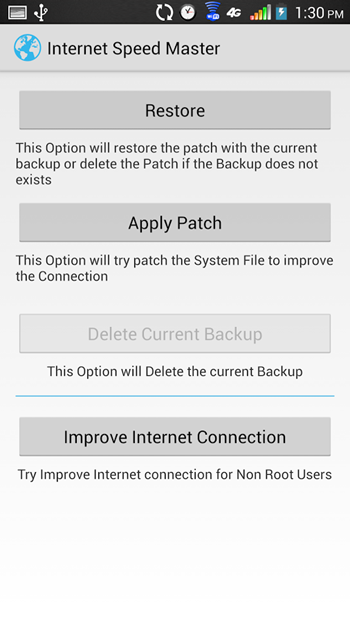
Web browsing is an integral part of owning a smartphone or tablet, and as is the case with the desktop, we expect as snappy a service as possible. But while the numerous enhancements applied by both vendors and third-party developers has made for an altogether more streamlined surfing experience, there’s always room for improvement. Internet Speed Master for Android aims to do exactly that, by modifying certain system files in an attempt to provide optimum speed. Details after the break!
The great thing about Internet Speed Master is that it is designed to work with just about any ROM, and despite being made with the rooted Droidster in mind, will also work some of its magic on your non-rooted Android smartphone or tablet.


unnamed


The developer stipulates in the release notes over at the Play Store that Internet Speed Master works much better on a device with root access, but since not everybody is brave or experienced enough to go ahead and root, it can be downloaded and run on an untouched, stock device as well.
Internet Speed Master is based upon a tried and tested Linux tweak that modifies certain files related to tcp/ip config. Once you’ve downloaded and installed the free app on your device, you simply push the pop-up button and wait a short while for Internet Speed Master to begin working on pushing the speed boundaries of your device.


unnamed1
Once the process is complete, you receive a message notifying as such, and from then on, you should notice some speed improvements when using your device’s connection. Since it tweaks the way your device processes information rather than doing anything to the connection itself, the app should bring enhancements whether you’re on Wi-Fi or indeed the cellular 3G / 4G connection.


unnamed2


Having given it a try on the HTC One, I couldn’t say I did notice any real improvements, but on a rooted Galaxy S III, the alterations where much more noticeable. Thus, I must echo the sentiments of the developer in stating that if you do want to get the most from Internet Speed Master, you’re almost certainly best off rooting, and if you do happen to give this app a whirl, be sure to leave your comments below.
(Download: Internet Speed Master for Android on the Play Store)
Make sure to check out our Android Apps gallery to explore more apps for your Android device.
Read More...

Viber Messaging App Hacked By Syrian Electronic Army

Leave a Comment
Viber, a popular messaging app available for iOS, Android and almost all popular operating systems, has been hacked by the Syrian Electronic Army. This is the same group who, a few days ago, manage to peek into the database of Tango messaging app.
viber-hacked
The group, however, could manage to hack only the support page and defaced it. They also left a message on support.viber.com acknowledging that they were not able to hack all viber systems. They also blamed Viber to be a service for spying and tracking. However, they got no evidence to prove their claim as the screenshots posted only contain device information that would be necessary for messaging app to retain.
It’s still unclear if any of the user information has been compromised. The support.viber.com now shows 404 error and is presumably working to adress the hack.
Update: Viber has responded to 9to5mac‘s request for comment:
Today the Viber Support site was defaced after a Viber employee unfortunately fell victim to an email phishing attack. The phishing attack allowed access to two minor systems: a customer support panel and a support administration system. Information from one of these systems was posted on the defaced page.
It is very important to emphasize that no sensitive user data was exposed and that Viber’s databases were not “hacked”. Sensitive, private user information is kept in a secure system that cannot be accessed through this type of attack and is not part of our support system.
We take this incident very seriously and we are working right now to return the support site to full service for our users. Additionally, we want to assure all of our users that we are reviewing all of our policies to make sure that no such incident is repeated in the future.
For more: [iclarified]
viber support hacked 1
viber support hacked 2
viber support hacked 3
Read More...

Monday, July 22, 2013

SAMSUNG ANNOUNCES THE REFRESHED EXYNOS 5 OCTA SOC, FEATURING THE NEW MALI-T628 SIX-CORE GPU

Leave a Comment
samsung-exynos-5420
Last week, Samsung’s Exynos division revealed that the group is ready to announce a refreshed version of its in-house developed Exynos 5 Octa system-on-chip (SoC). Just as promised, the company has provided more details regarding the new Exynos 5 Octa chipset, called the Exynos 5420.
Featuring the addition of the new six-core Mali-T628 GPU – the first in the industry – the new Exynos 5 Octa chip promises to be the top chipset in terms of graphics performance. While retaining the big.LITTLE architecture introduced by ARM, the Exynos 5420 chip features tweaked clock speeds of 1.8GHz for the Cortex-A15 quad-core processor and 1.3GHz for the Cortex-A7 quad-core processor. This, in addition to optimizing the power-saving design, results in a 20% bump in processing capability from the earlier Exynos 5410 chipset.
Samsung did not mention which devices will feature the new Exynos 5 Octa chip, although it has slated the chipset for mass production in August – a telling sign that it may very well power the Korean company’s latest flagship phablet, the Galaxy Note III which has been earmarked for an early September release.
(Source: Engadget)
Read More...

Thursday, July 18, 2013

Nexus 7 2 Specs Leak Along With High Quality Photos Of The Device Itself

Leave a Comment
Google’s event in San Francisco on July 24 seems to be just around the corner, and as the highly anticipated date approaches, leaks and rumors seem to have increased manifold. Now, thanks to Android Central, we’re seeing what might be some leaked photos of the new 7 tablet in the Nexus line up.
Thanks to an anonymous source, the shots are pretty high-quality, and reveal quite a lot of information from several angles. For one, it seems that the tablet is still manufactured by ASUS, and would be running Android 4.3 (but that was a no brainer). Two different versions, carrying 16GB and 32GB of storage, are expected, and might be coming in Wi-Fi as well as data connectivity options. The build is being labeled as ME571K_PR1_SKU2, as seen in the images.
Nexus-Logo
While the screen size remains the same old 7-inch, an additional camera is being added to the back for some casual photography. Front contains a 1.2 megapixel shooter manufactured by LITEONMOBILE, and there’s, of course, a 3.5mm earphone/headphone/speaker jack.


nexus7-2-8a


On the innards, the tablet seems to be powered by a Snapdragon S4 Pro processor, and possibly 4 gigabytes of DDR3 RAM. If this is correct, and topped off with Android 4.3, you can pretty much say goodbye to any lag or performance issues whatsoever, thanks to the immensely powerful hardware. There’s also the standard micro USB port, as well as power and volume buttons.


nexus-7-2-1
buttons


One final addition that has been observed is the addition of one more speaker, making the allegedly new Nexus 7 a dual speaker device, in stark comparison to its predecessor.
Leaks like this are abundant as the launch event of any new device approaches, and more often than not, we’ve seen that it’s mostly a prototype that gets leaked and not the final product. However, taking into account the recent leak of Android 4.3 itself for Nexus 4, it’s highly likely that we might be seeing something different. That said, do remember that all the information provided herein is unofficial, unconfirmed, and more than likely to be false. Hence, while you may get all excited over what Google might be unveiling this coming Wednesday, don’t get your hopes up too high – for your own good.


microusb
nexus-7-2-7


According to a report published yesterday, the Nexus 7 2 price will start from the $229 point, which is 20 dollars expensive than the current generation Nexus 7, the base model that is. We’ll leave the pricing bit for Google to reveal itself at their Android event.
Read More...